
Download the QxBroker App for Android and iOS
The Quotex platform is available on any device: install the app or trade online.
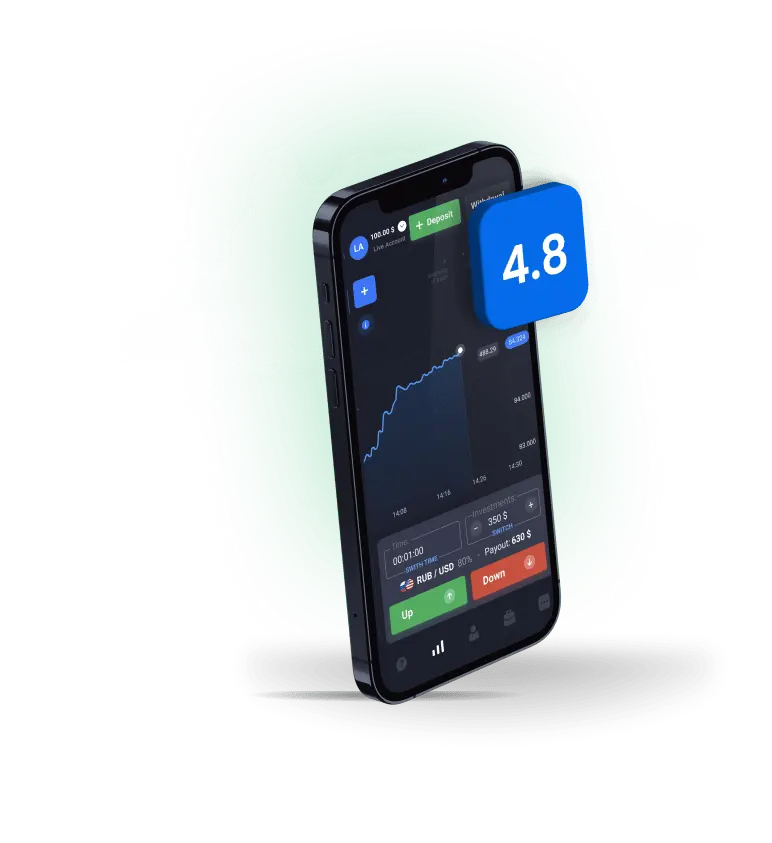
Mobile Trading Platform Overview: Qxbroker App Ecosystem
Qxbroker operates across multiple platforms, each designed for specific user needs and device capabilities. The company maintains separate approaches for Android and iOS users, reflecting different app store policies and technical requirements.
| Platform | Availability | Installation Method | Key Features |
| Android | Google Play Store / APK | Direct download | Full functionality, push notifications |
| iOS | PWA only | Safari installation | App-like interface, limited notifications |
| Desktop | Web browser | No installation | Advanced charting, multi-monitor support |
| Tablet | Browser/PWA | Platform-dependent | Optimized layouts, touch controls |

Android users access the full-featured official application through Google Play Store or direct APK installation. This native app provides complete trading functionality, including real-time charts, technical indicators, and instant order execution. The download process remains straightforward, with automatic updates ensuring access to latest features.
iOS users face different circumstances. Apple’s App Store policies led to the removal of many trading applications, including Qxbroker’s iOS version. However, the platform offers Progressive Web App (PWA) technology, creating an app-like experience through Safari browser installation.
Desktop traders continue using the web-based platform, which mirrors mobile functionality while providing larger screen real estate for complex analysis. Cross-platform synchronization ensures seamless transitions between devices without data loss.
The platform’s multi-device approach acknowledges that modern traders switch between smartphones, tablets, and computers throughout their trading day. Account synchronization happens automatically, maintaining position data, trading history, and personalized settings across all access points.
Android App Download: Official Qxbroker Application
Android users enjoy the Qxbroker experience through the official mobile application. The quotex app download process for Android devices follows standard Google Play protocols while offering alternative installation methods for users in restricted regions.
Google Play Store Installation:
The primary download method involves searching “Qxbroker” in Google Play Store. The official application, developed by Qxbroker Limited, displays verified developer status and positive user ratings. Installation requires Android 5.0 or higher, with a modest 22.5 MB file size ensuring compatibility across budget and premium devices.
Application Specifications:
- File Size: 22.5 MB
- Android Version: 5.0+
- Languages: 15+ including English, Spanish, Portuguese, Hindi, etc
- Update Frequency: Monthly security and feature updates
- Offline Capability: Limited chart viewing, full connectivity required for trading
Direct APK Installation:
Users in regions where Google Play Store access faces restrictions can download the APK file directly from Qxbroker’s official website. This method requires enabling “Unknown Sources” in Android security settings. The APK undergoes the same security protocols as Play Store versions, maintaining safety standards while bypassing geographic limitations.
The Android app provides identical functionality to the web platform. Traders access over 150 instruments across forex, commodities, cryptocurrencies, and indices. Real-time price feeds update continuously, while technical analysis tools include 29 indicators ranging from moving averages to complex oscillators.
Installation typically completes within 2-3 minutes on standard internet connections. First-time users can immediately access demo accounts with $10,000 virtual balance, allowing platform exploration without financial risk.
iOS Options: Progressive Web App and Browser Trading
iPhone and iPad users navigate a different landscape due to Apple’s App Store restrictions. While the official qxbroker app download isn’t available through traditional iOS channels, the platform provides alternatives that maintain professional trading capabilities.
Progressive Web App Installation:
The PWA technology creates a native app experience without requiring App Store approval. Installation involves opening Safari, navigating to qxbroker.com, tapping the share button, and selecting “Add to Home Screen.” This process takes approximately 30 seconds and creates an icon indistinguishable from traditional apps.

PWA Advantages:
- Full-screen trading interface without browser navigation bars
- Touch-optimized controls designed for mobile interactions
- Automatic updates without manual intervention
- Secure data storage using iOS keychain integration
The PWA maintains 95% of native app functionality while circumventing App Store limitations. Push notifications work through Safari’s notification system, though with slightly reduced capability compared to native apps. Trading execution speeds match native applications, with order processing occurring within milliseconds of user input.
Browser-Based Trading:
Standard Safari browsing provides the fallback option for users preferring traditional web access. The responsive design adapts automatically to iPhone and iPad screen sizes, maintaining usability across different iOS devices. Bookmark creation allows quick access without home screen installation.
iOS users should bookmark the official qxbroker.com domain to ensure access to legitimate platform versions. Third-party applications claiming Qxbroker functionality often represent security risks and should be avoided. You can find up-to-date information on whether the Qxbroker app for iOS is currently available on the dedicated page.
Installation Guide
Proper installation ensures optimal performance and security for Qxbroker applications across different devices. The setup process varies by platform but consistently emphasizes security verification and account protection.
Android Installation Process:
- Choose Google Play Store for automatic updates or official APK for manual control
- Enable “Install from Unknown Sources” if using APK method
- Tap downloaded file and follow system prompts
- Open app and complete device verification
- Login with existing credentials or create new account
- Security Configuration: Enable two-factor authentication
iOS PWA Installation Steps:
- Open Safari browser and navigate to qxbroker.com or use our links.
- Tap share button (square with upward arrow)
- Select “Add to Home Screen” from menu options
- Modify app name if desired (optional)
- Tap “Add” to complete process
- Test app functionality and login capabilities
Feature Comparison: Mobile vs Desktop Trading Experience
The choice between mobile and desktop trading platforms depends on individual trading styles, time availability, and technical analysis requirements. Qxbroker maintains feature parity across platforms while optimizing interfaces for different screen sizes and input methods.
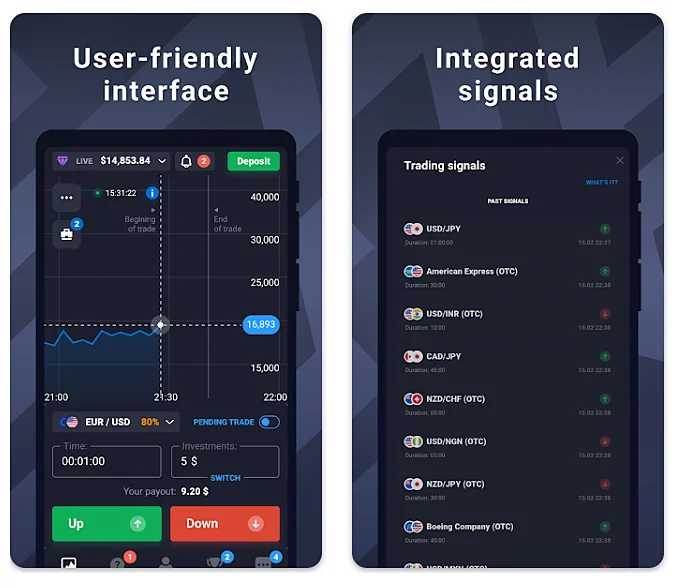
Mobile-Specific Advantages:
Mobile trading excels in speed and accessibility. The quotex mobile app enables position monitoring during commutes, quick market checks between meetings, and immediate response to breaking news events. Touch-based interfaces often provide faster order execution than mouse-click desktop operations.
Desktop Platform Strengths:
Desktop trading platforms provide superior chart analysis capabilities. Multiple monitor setups allow simultaneous market monitoring across different timeframes and instruments. Keyboard shortcuts accelerate order entry, while larger screens accommodate complex technical analysis layouts.
Advanced charting tools work better on desktop environments. Drawing trend lines, measuring price channels, and analyzing multiple indicators simultaneously becomes cumbersome on smartphone screens. Professional traders often use desktop platforms for analysis while executing trades through mobile apps.
Performance Metrics Comparison:
| Metric | Mobile App | Desktop Web |
| Order Execution Speed | 0.1-0.3 seconds | 0.2-0.4 seconds |
| Chart Loading Time | 1-2 seconds | 2-3 seconds |
| Simultaneous Charts | 1-2 | 4-8 |
| Technical Indicators | 29 available | 29 available |
| Drawing Tools | Basic | Advanced |
| Multi-asset Monitoring | Limited | Extensive |
Security Considerations and Alternative Access Methods
Mobile trading security requires heightened attention due to increased exposure risks from public WiFi networks, device loss, and application vulnerabilities. Qxbroker implements multiple security layers while providing alternative access methods for different risk tolerance levels.
Mobile Security Framework:
Encryption protocols protect data transmission between mobile devices and trading servers. AES-256 encryption standards secure sensitive information including account credentials, trading history, and financial data. SSL certificates verify server authenticity, preventing man-in-the-middle attacks.
Network Security Protocols:
Public WiFi networks pose significant risks for mobile trading activities. VPN services encrypt internet traffic, protecting sensitive data from potential eavesdropping. Cellular data connections generally provide better security than public WiFi networks.
Risk Management Recommendations:
- Never install unofficial applications claiming Qxbroker functionality
- Verify app store developer information before downloading
- Use dedicated devices for trading when possible
- Enable all available security features immediately after installation
- Monitor account activity regularly for unauthorized transactions
- Maintain updated device operating systems for latest security patches
The download quotex app process should always occur through official channels. Third-party application stores often distribute modified versions containing malicious code designed to steal trading credentials or account funds.
Based on my 5 years of experience analyzing trading platforms and working directly with broker security systems, I recommend treating mobile trading as a complement to, rather than replacement for, desktop analysis. The convenience factor makes mobile apps essential for modern traders, but the security considerations require careful attention to setup and usage protocols.
The evolution of mobile trading platforms like Qxbroker reflects broader fintech trends toward accessibility and real-time market engagement. However, the fundamental principles of risk management and security awareness remain constant regardless of the technology used to access markets. For traders prioritizing maximum security, I suggest using mobile apps primarily for monitoring positions and executing predetermined trades, while conducting primary analysis and strategy development on secured desktop environments. This hybrid approach maximizes both convenience and protection.
Frequently Asked Questions
Is the Qxbroker mobile app free to download and use?
Yes, the Qxbroker application is completely free to download from Google Play Store or as a PWA for iOS devices. The platform doesn’t charge any fees for app installation, account maintenance, or basic trading functionality. Revenue comes from spread differences rather than direct user fees.
Why isn't there an official Qxbroker app in the Apple App Store?
Apple’s App Store policies regarding financial trading applications have become increasingly restrictive. Many brokers, including Qxbroker, had their iOS applications removed due to regulatory compliance requirements. The Progressive Web App (PWA) option provides identical functionality without requiring App Store approval.
Can I use my existing Qxbroker account on the mobile app?
Absolutely. The mobile application synchronizes with existing web-based accounts automatically. Login credentials, trading history, account balances, and personalized settings transfer seamlessly across all platforms. No separate registration is required for mobile access.
Are there any differences between mobile app features and the desktop platform?
Core trading functionality remains identical across platforms. Mobile apps excel in quick order execution and real-time monitoring, while desktop platforms provide superior charting capabilities and multi-asset analysis tools. Both platforms access the same 150+ trading instruments and technical indicators.
How do I ensure I'm downloading the legitimate Qxbroker app?
Only download applications from official sources: Google Play Store for Android or the official qxbroker.com website for APK files and iOS PWA installation. Verify developer information shows “Qxbroker Limited” and check user reviews for authenticity. Avoid third-party app stores or unofficial download links.
Does the mobile app work offline?
Limited functionality operates offline, including basic chart viewing and historical data analysis. However, active trading requires internet connectivity for real-time price feeds and order execution. The app caches recent data for brief connectivity interruptions but cannot execute trades without network access.